
You can access dark web links on your iPhone using the free Onion Browser app paired with Orbot for a secure Tor connection. The Tor Project officially recommends these tools, yet Apple’s WebKit requirement limits full privacy protections compared to desktop versions.
Always start with these verified entry points and cross-check the first and last six characters of any .onion address against official proofs:
- Tor Project mirror
- BBC news mirror
- New York Times mirror
Avoid downloading files, enabling JavaScript by default, or using fake Tor apps from the App Store, as these actions often cause IP leaks on iOS.1234565
Can You Access the Dark Web on an iPhone?
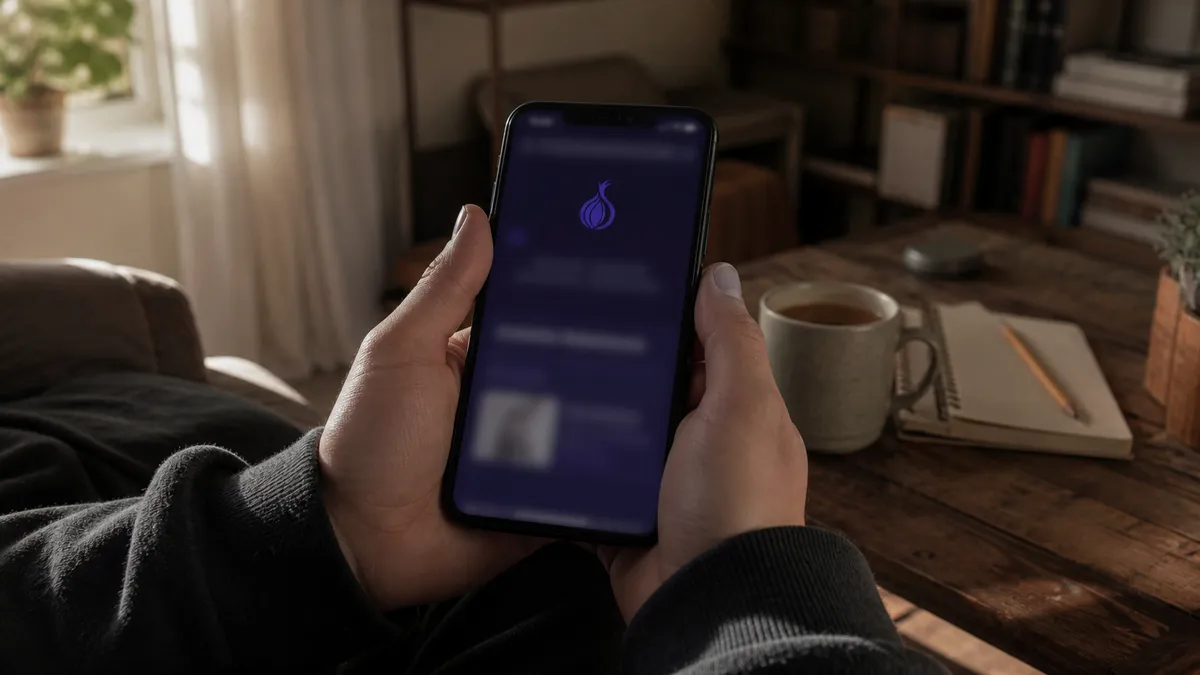
Yes, you can access the dark web on your iPhone using the Onion Browser and Orbot. These tools create a secure connection to the Tor network, allowing you to explore .onion links safely. The Tor Project officially recommends these applications for iOS users1. However, it's important to note that Apple requires all browsers on iOS to use WebKit, which limits the privacy protections available compared to the desktop version of Tor Browser13.
To understand this better, think of the internet as an iceberg. The surface web is the tip of the iceberg—websites like Google and Facebook that everyone can see. Below the surface lies the deep web, which includes databases, private company sites, and other content not indexed by traditional search engines. The dark web is a small part of the deep web, containing sites that are intentionally hidden and accessed only through specific tools like Tor. It’s like the submerged part of the iceberg that few people can see5.
Dedicated browsers like Onion Browser are essential because they are designed to route your web traffic through the Tor network. This process helps anonymize your connection and access .onion sites, which are not reachable through standard browsers. However, be aware that due to iOS limitations, certain types of traffic can still leak outside of Tor, even when using Onion Browser74.
For safe exploration, always start with verified entry points like the Tor Project’s mirror or major news sites that have .onion versions. This way, you can ensure a more secure experience while navigating the dark web.
The Only Recommended Browser: Onion Browser
Onion Browser is the only Tor-endorsed web browser for iOS devices. It allows you to access the Tor network, enabling you to explore .onion links safely. This browser is free, open-source, and developed with contributions from the Tor Project, ensuring a level of trust and reliability2.
Apple's requirement for all browsers on iOS to use WebKit limits Onion Browser's privacy features compared to the full Tor Browser available on desktop or Android13. This means that while Onion Browser provides a secure connection, it does not offer all the protections that the desktop version does. Still, it is currently the best option for iPhone users looking to access the dark web1.
To install Onion Browser on your iPhone, follow these steps:
- Open the App Store on your iPhone.
- In the search bar, type ‘Onion Browser’.
- Find the app developed by Mike Tigas and tap on it.
- Click the ‘Get’ button to download and install the app.
Once installed, you can start using Onion Browser to access .onion sites. Remember that using Onion Browser along with Orbot can enhance your privacy by providing additional protection for certain types of traffic, especially on iOS 17 and newer4.
Despite its advantages, be cautious. Due to iOS limitations, some traffic types, like media files, can leak outside of Tor even when using Onion Browser7. Additionally, in August 2026, a WebKit flaw was discovered that could expose your real IP address, even when using Tor-based browsers8.
For a safer experience, always verify .onion links by cross-checking their characters against official proofs published by site operators. Starting with verified entry points such as the Tor Project's mirror can also help ensure safer exploration of the dark web5.
How to Install and Set Up Onion Browser on iPhone
To safely access the dark web on your iPhone, you need to install the Onion Browser. Follow these simple steps to get started:
- Open the App Store on your iPhone.
- In the search bar, type ‘Onion Browser’.
- Look for the app developed by Mike Tigas and tap on it.
- Click the ‘Get’ button to download and install the app.
Once the installation is complete, launch the Onion Browser. You will see various settings to customize your experience. Here’s how to configure the basic settings:
Security Level
Upon first launch, you can set the security level. This option helps protect your privacy. There are three levels:
- Standard: This setting allows all features, including JavaScript. It’s suitable for general browsing but less secure.
- Silver: This level disables some features, like certain types of JavaScript, enhancing your security.
- Gold: This is the most secure option. It disables JavaScript entirely, preventing many potential leaks.
Choose a level based on your comfort with risk. For safer browsing, Silver or Gold is recommended.
Bridge Configuration
If you encounter issues connecting to the Tor network, you might need to configure bridges. Bridges are alternative entry points that help bypass censorship. To set them up:
- In the Onion Browser, navigate to the settings menu.
- Look for ‘Bridges’ and tap on it.
- Select ‘Request a Bridge’ to get options from the Tor Project.
Using bridges can help you connect more reliably, especially in countries with strict internet controls.
Initial Toggles
When you first use Onion Browser, you may see toggles for features like "Use Orbot" or "Enable WebRTC." Here’s what they do:
- Use Orbot: This option allows you to connect through Orbot, enhancing your privacy.
- Enable WebRTC: Turning this off is advisable. WebRTC can leak your IP address, which undermines your anonymity.
Make sure to adjust these settings before exploring .onion links.
After configuring your settings, you’re ready to start browsing. Remember to verify .onion links by checking their characters against official proofs. This step helps ensure you’re accessing safe sites. For instance, start with the Tor Project's mirror or major news sites that have .onion versions. These practices will help you explore the dark web more safely.
Safe Dark Web Links You Can Visit on iPhone
Exploring the dark web safely requires starting with verified links. Here are some active .onion links categorized by purpose:
Search Engines
- DuckDuckGo Onion: Access the privacy-focused search engine at
duckduckgowe5rsg1a.onion. This link allows you to search the dark web anonymously.
News and Information
- ProPublica: Visit
www.propub3r6espa.onionfor investigative journalism and news stories. ProPublica is known for its in-depth reporting on important issues. - BBC News: The BBC offers news coverage at
bbcnewsv2vjtpsuy.onion. This site provides updates on global events while maintaining user privacy. - The New York Times: Access news articles at
www.nytimes3xbfgragh.onion. This link allows you to read selected content without revealing your identity.
Community and Resources
- The Tor Project: Official resources can be found at
torproject.org.onion. This site offers information about Tor and its usage, including security tips. - The Hidden Wiki: Navigate to
wikitjxqft4g2h7z.onionfor a directory of various dark web sites. Use this resource carefully, as not all links are safe.
Educational Resources
- The Library Genesis: Access a vast collection of books and academic papers at
libgenrsdlfd.onion. This site helps users find educational materials for free.
Privacy Tools
- Onion Browser Support: For help with the Onion Browser, visit
onionbrowser7m2n7.onion. This site provides troubleshooting tips and user support.
Remember, these links can change, so it's essential to verify them before use. Cross-check the first and last six characters of any .onion address against official proofs published by the site operator to ensure safety5. Always practice caution while exploring the dark web to maintain your privacy and security.
Essential Safety Rules Before You Click Any Link
Exploring the dark web can be risky. To protect yourself, follow these essential safety rules:
Never Share Personal Information
Your privacy is crucial. Avoid sharing your name, address, or any other personal details on the dark web. This information can lead to identity theft or unwanted attention.Disable JavaScript When Possible
JavaScript can expose your device to vulnerabilities. Disable it in the Onion Browser settings to reduce risks. This action helps protect against potential exploits that could compromise your anonymity.Verify .onion Addresses
Always cross-check the first and last six characters of any .onion link against official proofs published by site operators. This practice ensures you are accessing legitimate sites, reducing the chance of scams5.Avoid Downloads
Downloading files from the dark web can introduce malware to your device. Stick to browsing only and avoid any downloads unless you are certain of their safety.Use Trusted Browsers
Always use Onion Browser or similar trusted apps. Avoid unverified apps from the App Store, as they may not provide adequate privacy protections6.Utilize Security Levels
Set the security level in Onion Browser to Silver or Gold. These settings enhance your privacy by limiting certain features that could expose your identity4.Be Cautious with Links
Only use verified links to access the dark web. Start with known safe entry points like the Tor Project mirror or reputable news sites with .onion versions5.Use Orbot for Extra Protection
If possible, use Orbot alongside Onion Browser. This combination provides an additional layer of security by routing your traffic through Tor, enhancing your anonymity1.Stay Informed About Risks
Keep up to date with the latest security news regarding the dark web and Tor. Awareness of emerging threats can help you navigate safely and make informed decisions.
By following these rules, you can explore the dark web more safely and responsibly.
Common Mistakes iPhone Users Make on the Dark Web
Many iPhone users make common mistakes when exploring the dark web that can jeopardize their safety and privacy. Here are some frequent errors and their potential consequences:
Using Unverified Apps
Some users download unverified apps claiming to be Tor browsers from the App Store. These apps often lack essential privacy features. For example, the official Tor Project recommends using Onion Browser and Orbot for secure access1. Using unverified apps can lead to IP leaks or malware infections6.
Ignoring Exit Node Risks
Many users overlook the risks associated with exit nodes. While Tor anonymizes your connection, exit nodes can potentially monitor your traffic. In 2026, law enforcement successfully deanonymized users by analyzing traffic patterns and monitoring exit nodes, exposing them while visiting malicious .onion sites9. Always ensure your connection remains secure when browsing.
Clicking Random Links
Beginners often click on random links without verifying their legitimacy. This can lead to phishing sites or malware downloads. For safer navigation, cross-check .onion links against official proofs published by site operators5. Starting with verified entry points like the Tor Project's mirror can help ensure a safer experience5.
Mixing Regular Browsing with Dark Web Access
Some users fail to separate their regular browsing from dark web activities. This mistake can expose personal information. For instance, logging into personal accounts while using dark web browsers can lead to data breaches. It’s crucial to use a dedicated browser like Onion Browser for dark web access only3.
Ignoring JavaScript Settings
Many beginners leave JavaScript enabled while browsing the dark web. This can create vulnerabilities, as JavaScript may lead to IP leaks or other security issues. Disabling JavaScript in the Onion Browser settings enhances your privacy and reduces exposure to potential exploits6.
Neglecting to Use Security Levels
Users often do not adjust their security settings in the Onion Browser. The browser offers multiple security levels, including Silver and Gold, which enhance privacy by limiting certain features4. Failing to set these levels can increase the risk of leaking personal information.
By avoiding these common mistakes, you can enhance your safety while exploring the dark web on your iPhone. Always stay informed and follow best practices to protect your privacy.
How to Verify .onion Links and Stay Updated
Verifying the authenticity of .onion links is crucial for safe exploration. To do this effectively, you can use checksums and known directories. The safest method is to cross-check the first and last six characters of the .onion address against official proofs published by the site operator. For instance, you can find these proofs on the Tor Project's mirror or verified directories updated as of October 20265.
Using public sources for fresh .onion links is also recommended. Reliable options include:
- Tor Project's Official Directory: This site provides verified .onion addresses, ensuring you access legitimate resources5.
- ProPublica Onion: This investigative news site maintains a .onion version, allowing you to read articles securely5.
- BBC Onion: The BBC offers news coverage through its .onion link, ensuring you stay informed while preserving your anonymity5.
Bookmarking inside the Onion Browser is safer than saving links in Safari. This is primarily due to Apple’s requirement for browsers on iOS to use the WebKit engine, which limits privacy protections1. When you save links in Safari, you risk exposing your browsing activity and personal information. In contrast, the Onion Browser can help maintain your anonymity by keeping your bookmarks private and secure.
To enhance your experience, consider using Onion Browser with Orbot. This combination adds an extra layer of security to your connection, especially in light of mobile Tor limitations and potential leaks17. Always stay informed and regularly check trusted sources for updated .onion links to ensure a safer dark web experience.
What to Expect: Speed, Limitations, and Best Practices
When using Onion Browser on your iPhone, it's important to set realistic expectations about connection speed. Mobile Tor connections can be significantly slower than standard browsing. This is due to the multiple layers of encryption and the way traffic is routed through various nodes. Speeds can vary widely, often ranging from 100 Kbps to 1 Mbps depending on network conditions and the number of users on the Tor network at any given time.
To ensure a safer browsing experience, here are some practical dos and don’ts tailored for iPhone use:
Dos
- Use Onion Browser with Orbot: This combination enhances your privacy by routing traffic through Tor1.
- Enable Security Levels: Set the security level in Onion Browser to Silver or Gold to reduce exposure to potential leaks4.
- Verify .onion Links: Always check the first and last six characters of .onion addresses against official proofs published by site operators5.
- Disable JavaScript: This reduces the risk of IP leaks and other vulnerabilities6.
- Start with Trusted Links: Use verified .onion links from reputable sources, such as news organizations or the Tor Project's mirror5.
Don’ts
- Avoid Downloading Files: Downloading can lead to malware infections on your device6.
- Don’t Use Unverified Apps: Stick to the Onion Browser and avoid unverified apps from the App Store6.
- Never Share Personal Information: Keep your identity private to avoid potential risks6.
- Don’t Mix Browsing Activities: Use the Onion Browser solely for dark web activities to maintain privacy3.
Ready-to-Use Checklist
- Use Onion Browser with Orbot.
- Set security level to Silver or Gold.
- Verify .onion addresses.
- Disable JavaScript in settings.
- Start with trusted links.
- Avoid downloading files.
- Don’t use unverified apps.
- Never share personal information.
- Keep browsing activities separate.
Following these guidelines will help enhance your safety while exploring the dark web on your iPhone. Stay informed about the limitations and risks to navigate responsibly.
Responsible Exploration: Staying Within Legal and Safe Boundaries
Browsing the dark web is generally legal. However, many activities found there are illegal. It's essential to focus on exploring informational and privacy resources responsibly. You can do this by adhering to best practices that prioritize your safety and privacy.
Start by using trusted applications like Onion Browser on your iPhone. This browser connects you to the Tor network, which helps anonymize your browsing. However, remember that due to iOS limitations, Onion Browser may not provide the same level of privacy as the Tor Browser on desktop or Android3. Always use the latest version of the app to benefit from security updates.
When exploring, limit your activities to verified informational sites. Examples include news organizations with .onion versions, such as the BBC or ProPublica. Starting with these reputable sources can help ensure a safer experience5. Always cross-check .onion addresses before visiting them. You can do this by verifying the first and last six characters against official proofs published by the site operator5. This practice reduces the risk of accessing malicious sites.
Avoid common pitfalls that can lead to security breaches. Do not share personal information, and avoid downloading files from the dark web. These actions can expose you to identity theft or malware risks6. Additionally, disable JavaScript in the Onion Browser settings to minimize vulnerabilities6.
Using Onion Browser in conjunction with Orbot can enhance your privacy. This combination helps route your traffic through the Tor network, providing an extra layer of security1. Stay informed about potential risks and be cautious about the links you click.
By following these guidelines, you can explore the dark web responsibly while prioritizing your safety and privacy.
Common Mistakes and Misconceptions
You might assume that any app labeled ‘Tor’ in the App Store will keep you safe on your iPhone. In reality, many of these apps skip essential protections because Apple forces every browser to use WebKit. This choice often results in your real IP address leaking through media files, WebRTC, or certificate checks even while you browse .onion sites. Stick to the free open-source Onion Browser paired with Orbot, exactly as the Tor Project recommends for iOS devices.
Thinking the built-in iOS privacy tools are enough
Many beginners believe iCloud Private Relay or standard VPNs already hide them on the dark web. Those tools still leave gaps that a WebKit flaw discovered in August 2026 can exploit, exposing your location despite proxies or Tor-based browsers. The flaw affects Onion Browser too unless you raise its security level. Always combine Onion Browser with Orbot on iOS 17 or newer and select at least the Silver security setting to limit known leaks.
Downloading files or media without thinking twice
You may click a download link because the site looks interesting and you expect Tor to protect the transfer. On iOS, audio, video, and many file types can bypass the Tor tunnel completely due to system limitations. The file may contain malware that reaches your device directly. Never download anything; read text-based pages only and leave every attachment untouched.
Using the same device and accounts for normal browsing and dark web visits
It feels convenient to switch between Safari and Onion Browser on one iPhone while logged into your email or social accounts. That habit links your real identity to your Tor activity through timing analysis and correlation attacks that law enforcement has used successfully through 2026. Keep one dedicated device or at minimum one clean profile for dark web use and never log into personal services.
Believing every .onion link you find is genuine
New users often paste random links from forums without checking them, thinking Tor makes every address safe. Malicious sites can still run browser exploits that deanonymize you. The correct method is to compare the first six and last six characters of any .onion address against official proofs published by the site operator, such as those listed in verified directories updated as of October 2026. Start only with the Tor Project mirror or reputable news mirrors that have been cross-checked this way.
Assuming Tor stops every possible tracking method
A frequent misconception is that the network makes you completely invisible once connected. Tor does not defeat all deanonymization; researchers and law enforcement have used endpoint monitoring and browser exploits on malicious .onion sites in multiple operations through 2026. Limit yourself to verified informational pages, disable JavaScript unless required, and accept that no tool removes every risk.
Key Takeaways
You often think one tool solves everything. In truth, safe exploration on your iPhone demands several habits working together.
Here is what to remember and do first:
- Pair Onion Browser with Orbot and raise the security level to Silver or Gold right away.
- Verify every .onion address by matching the first and last six characters against official proofs.
- Disable JavaScript, never download files, and avoid sharing any personal details.
- Keep dark web activity on a separate profile or device to prevent correlation attacks.
- Begin only with verified informational sites such as news mirrors from the Tor Project.
Your next step is to read the full guide on trusted addresses and verification methods in Dark Web Sites List 2025: What You Need to Know.
Evidence and sources
- Can I run Tor Browser on an iOS device? | Tor Project | Support
- GitHub - OnionBrowser/OnionBrowser
- Which app is best for me? — Tor
- Onion Browser: How to Use Tor on iPhone & iPad (2026)
- Official Onion Mirrors Directory (Verified October 2026)
- Using Tor on Android and iPhone: The Legitimate Apps (2026)
- Traffic that leaks outside of Tor due to iOS limitations
- Massive Apple’s WebKit privacy flaw exposes Tor, Privacy Relay users
- Law Enforcement Deanonymizes Tor Users - Schneier on Security
Discover More Safe Dark Web Resources
Explore our guides to enhance your dark web experience.
Browse More Guides