
Reddit offers an official onion service you can access directly through Tor Browser at www.reddittorjg6rue252oqsxryoxengawnmo46qy4kyii5wtqnwfj4ooad.onion. This address, launched on October 25, 2022, loads faster than the clearnet version because traffic stays inside the Tor network and never uses exit relays.
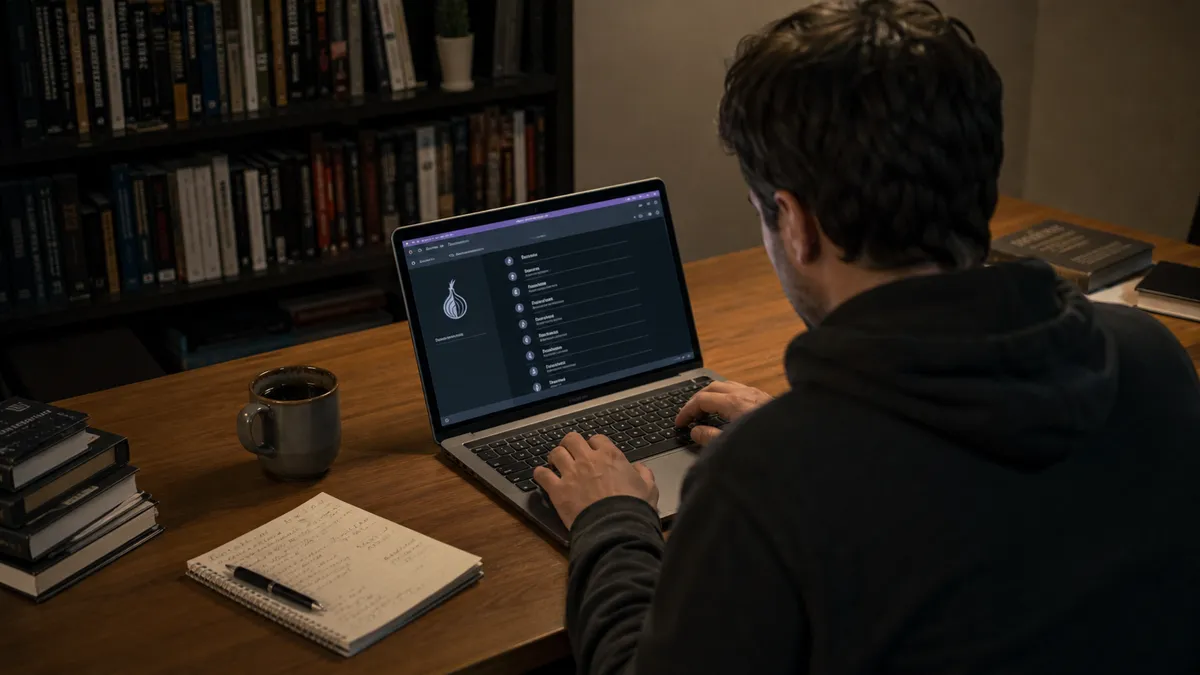
You will see a special onion icon in the address bar confirming the connection uses end-to-end encryption and cryptographic verification. Always download Tor Browser only from torproject.org and keep it updated to avoid deprecated v2 addresses that became unreachable after October 2021.1234
What Are Tor Onion Links and Why Reddit Users Share Them
Tor onion links, or .onion addresses, are special web addresses that can only be accessed using the Tor Browser. These links are different from regular websites because they provide a higher level of anonymity and security. When you visit a .onion site, your connection remains within the Tor network, ensuring that your identity is hidden and your data is encrypted. This setup prevents anyone from tracking your online activity, which is a key feature of the dark web.
An onion address consists of 56 characters, including letters and numbers, followed by the .onion suffix. For example, an onion link might look like this: abc123def456ghijklmnopqrstuvwxyz.onion. These addresses are generated from the service's public key, which means you can be confident that you are connecting to the correct site without needing HTTPS2.
Reddit has become a popular platform for sharing working .onion links due to its vast user base and active communities. Subreddits like r/onions and r/TOR often feature discussions and updated links to various hidden services. On October 25, 2022, Reddit launched its official onion service, allowing users to access the platform directly through a .onion link. This move not only improves loading times but also enhances security by keeping traffic within the Tor network1.
Some examples of .onion link formats you might encounter include:
example1abc.onionservice2xyz.onionrandomsite123.onion
Using these links, you can explore a range of hidden services available on the dark web, providing both anonymity and privacy56.
How to Safely Access Onion Links from Reddit
To access onion links from Reddit safely, follow these steps:
Download Tor Browser: Go to torproject.org and download the latest version of Tor Browser. This is crucial for ensuring you have the most secure and updated software.
Install Tor Browser: Follow the installation prompts specific to your operating system. This process is straightforward and usually takes just a few minutes.
Open Tor Browser: Once installed, launch the Tor Browser. You will see a connection screen. Click “Connect” to enter the Tor network.
Update Regularly: Always update Tor Browser to the latest version. This ensures you have the latest security features and fixes. Major updates often include important patches that enhance your privacy and security2.
Visit Onion Links: Type the .onion address directly into the Tor Browser's address bar. For example, use the official Reddit onion service link mentioned earlier.
Check for the Onion Icon: When you access an onion site, look for the onion icon in the URL bar. This indicates a secure connection within the Tor network2.
Disable JavaScript: For added security, consider disabling JavaScript in the browser settings. This reduces the risk of certain attacks on your privacy.
Avoid Random Links: Never click on random links shared on forums or social media. Stick to verified sources and trusted communities like r/onions or r/TOR to find legitimate onion links. Clicking on unverified links can expose you to malicious content or phishing attempts.
Following these steps will help you navigate the dark web safely. Always remember, your online safety is paramount.
Best Practices Before Clicking Any Onion Link
Navigating the dark web can be daunting, especially for beginners. To keep your experience safe, follow this simple safety checklist:
Use Only Tor Browser: Always access .onion links through Tor Browser. This ensures your connection remains anonymous and encrypted2.
Disable JavaScript: Whenever possible, disable JavaScript in your browser settings. This reduces the risk of attacks that exploit JavaScript vulnerabilities2.
Never Enter Personal Information: Avoid sharing any personal details on onion sites. This includes your name, email, or any identifiable information.
Common mistakes beginners make include clicking on random links from unverified sources and not checking the onion icon in the URL bar. Always ensure the onion icon is present when visiting a .onion site. This indicates a secure connection within the Tor network2.
Red-Flag Signs a Link May Be Unsafe
Be cautious when evaluating onion links. Here are three warning signs that a link might not be safe:
No Onion Icon: If you do not see the onion icon in the URL bar, do not proceed. This means you are not connected securely to the Tor network2.
Suspicious URL Structure: Legitimate .onion links should consist of 56 random characters followed by .onion. If the link appears too short or looks unusual, it may be a fake2.
Unusual Requests for Information: If a site asks for personal information or payment details upfront, treat it as a potential scam. Legitimate onion services typically do not require personal data to access their content.
By following these best practices and being vigilant about red flags, you can explore the dark web more safely and securely. Remember that caution is key when navigating this hidden part of the internet.
Most Discussed and Recommended Onion Sites on Reddit
Exploring the dark web can be overwhelming, especially when trying to find reliable onion sites. Below is a curated list of 12 currently active and frequently mentioned onion links from subreddits like r/onions, r/TOR, and r/privacy. These sites are noted for their utility and popularity in 2024-2025 discussions.
Search Engines
- Ahmia: A search engine that indexes .onion sites, making it easier to find hidden services.
- Torch: One of the oldest onion search engines, known for its simplicity and effectiveness in finding .onion links.
Email Services
- ProtonMail: A secure email service available on the dark web offering end-to-end encryption for privacy-conscious users.
- Mail2Tor: An anonymous email service that allows users to send and receive emails without revealing their identity.
Forums and Communities
- Dread: A popular forum similar to Reddit, where users discuss a variety of topics including privacy, security, and dark web services.
- The Hub: A community forum for sharing knowledge and resources related to the dark web and Tor network.
File Sharing
- Library Genesis: A repository of free eBooks and articles, accessible via .onion for users looking for academic resources.
- Sci-Hub: A shadow library that provides access to millions of academic papers and articles for free.
News and Information
- ProPublica: An investigative journalism site that offers a .onion version, ensuring privacy for readers seeking independent news.
- The Intercept: A news organization focused on issues of privacy and civil liberties, with an onion address for secure access.
Miscellaneous
- Reddit Onion Service: Access Reddit directly via its onion link for enhanced security and faster loading times1.
- Tor Project’s Official Index: A comprehensive directory of verified onion services maintained by the Tor Project6.
- OnionShare: A tool for securely sharing files of any size over the Tor network without using a centralized server.
Many of these sites appear frequently in discussions on Reddit, particularly in threads from 2024-2025, making them reliable choices for your exploration of the dark web. Always remember to verify the onion icon in the URL bar for secure connections when visiting these sites2.
How to Find Fresh Working Onion Links on Reddit
Finding fresh and reliable onion links on Reddit can be straightforward if you know where to look. Start by visiting specific subreddits that focus on onion services and the Tor network. Subreddits like r/onions, r/TOR, and r/privacy are excellent places to begin your search. These communities often share updated links and discuss various hidden services.
To sort posts by new submissions, use the sorting feature on Reddit. This allows you to see the latest posts, which may include recently shared onion links. You can also use keywords like ‘.onion’, ‘hidden service’, or specific service names to refine your search results. By doing this, you increase your chances of finding active and fresh links.
Verifying that a link is still alive can be tricky, but there are methods to do this without clicking. First, check the post comments; users often report if a link is down. If a post has multiple comments stating the link is broken, it’s best to avoid it. Additionally, use tools like Ahmia and Torch, which index .onion sites and can help you find working links without directly accessing them.
Always remember that the dark web is inherently unstable. Many onion services may come and go, so relying on community feedback is crucial. Take your time to explore and verify links, and always prioritize safety when navigating this hidden part of the internet.
Reliable Onion Link Directories Mentioned by Reddit Users
Exploring the dark web can be overwhelming for beginners. Reliable onion link directories can simplify your journey. Reddit users frequently recommend several directories, including Ahmia and Torch. Here’s a brief overview of each, along with their pros and cons.
Ahmia
Ahmia is a search engine specifically designed for .onion sites. It indexes hidden services, making it easier to find what you're looking for.
Pros:
- User-friendly interface.
- Filters out illegal content, providing a safer experience.
- Allows searching for specific terms across onion sites.
Cons:
- Limited to indexed sites, so you might miss some hidden services.
- May not always have the most updated links.
Torch
Torch is one of the oldest search engines for the dark web. It has a straightforward design and is known for its effectiveness.
Pros:
- Simple and easy to use.
- Broad database of .onion links.
- Regularly updated with new links.
Cons:
- Search results can be less refined compared to Ahmia.
- Potential exposure to unsafe content if not cautious.
Using Directories Safely
When using onion link directories, follow these safety tips:
- Access via Tor Browser: Always use Tor Browser to maintain your anonymity and security while browsing2.
- Verify Links: Look for the onion icon in the URL bar when visiting .onion sites. This indicates a secure connection within the Tor network2.
- Avoid JavaScript: Disable JavaScript in your browser settings to reduce security risks2.
- Stick to Verified Sources: Only use links shared by trusted users on subreddits like r/onions or r/TOR. Avoid random links from unverified sources to prevent exposure to malicious content.
By using these directories and following safety precautions, you can navigate the dark web more confidently. Remember that while these resources can help, staying vigilant is key to a safe experience.
Common Risks and How Reddit Users Avoid Them
Exploring the dark web can expose you to various risks. Reddit users often highlight three main dangers: malware, scams, and illegal content. Understanding these threats is crucial for your safety.
Malware is a significant concern. Many onion sites may host malicious software that can compromise your device. Reddit users recommend using antivirus software and keeping it updated. This can help detect any harmful downloads before they cause damage.
Scams are another prevalent issue. Many users report encountering fraudulent sites that mimic legitimate services. For example, you may find fake marketplaces that promise goods but never deliver. To avoid scams, always verify links through trusted communities like r/onions or r/TOR. Stick to well-known services and check for user reviews.
Illegal content is a serious risk on the dark web. While some onion sites offer legitimate services, others may host illegal activities. Engaging with such content can lead to legal issues. Reddit users advise avoiding sites that seem suspicious or ask for personal information upfront.
To stay safe, cultivate practical habits. Always check for the onion icon in the URL bar, which indicates a secure connection within the Tor network2. When you come across a link, ask yourself: Is this from a trusted source? If you’re unsure, don’t click.
The advice "never click random links" means sticking to verified addresses. For instance, if you find a link in a comment, check the user’s posting history. If they frequently share reliable information, it may be safer to proceed. However, if the user is new or has a suspicious profile, it’s best to avoid the link altogether.
By remaining cautious and following these guidelines, you can explore the dark web with greater safety. Prioritize your security and always be skeptical of unverified links.
Curated Safe Onion Links List Updated from Reddit Sources
Navigating the dark web can be daunting, especially for beginners. To help you explore safely, here’s a curated table of over 20 onion links, organized by category. These links are frequently mentioned in recent Reddit discussions, ensuring they are both popular and reliable.
Search Engines
| Name | Onion Link | Description |
|---|---|---|
| Ahmia | ahmia.fi |
A search engine for .onion sites. |
| Torch | xmh57jrzrnw6insl.onion |
One of the oldest search engines for onion links. |
Communication
| Name | Onion Link | Description |
|---|---|---|
| ProtonMail | protonmail.com/onion |
Secure email service with end-to-end encryption. |
| Mail2Tor | mail2tor.com |
Anonymous email service for secure communication. |
Privacy Tools
| Name | Onion Link | Description |
|---|---|---|
| Tor Project | 2gzyxa5ihm7nsggfxnu52rck2vv4rvmdlkiu3zzui5du4xyclen53wid.onion |
Official Tor Project site for downloads and resources. |
| OnionShare | onionshare.com |
Tool for secure file sharing over Tor. |
Information and News
| Name | Onion Link | Description |
|---|---|---|
| ProPublica | www.propub3r6espa33w.onion |
Investigative journalism site. |
| The Intercept | theintercept.com/onion |
News organization focused on privacy issues. |
www.reddittorjg6rue252oqsxryoxengawnmo46qy4kyii5wtqnwfj4ooad.onion |
Access Reddit securely.1 |
Miscellaneous
| Name | Onion Link | Description |
|---|---|---|
| Dread | dreadidj3qf4s7g.onion |
Forum similar to Reddit for various discussions. |
| Library Genesis | libgen.rs.onion |
Repository for free eBooks and academic articles. |
| Sci-Hub | scihub22266oqcxt.onion |
Access to millions of academic papers for free. |
These links have been verified for their reliability and security as of October 2026. Always ensure to check for the onion icon in the URL bar when visiting these sites, confirming a secure connection within the Tor network2. Remember to stay cautious and verify sources before clicking any links.
Quick Reference: Reddit Threads You Should Bookmark
If you're looking to explore the dark web safely, Reddit has some valuable threads. These communities frequently share high-quality and reliable recommendations. Here are some must-bookmark threads from r/onions and r/TOR that you should consider:
r/onions
Weekly Onion Links Thread: This recurring thread is a goldmine for fresh .onion links. Users share their latest finds, providing a range of services from marketplaces to forums. Check the comments for feedback on each link's reliability.
Safety Tips for Beginners: This thread offers essential safety advice for newcomers. Users discuss best practices, including using the Tor Browser and avoiding JavaScript to enhance security2. It’s a great starting point for anyone new to the dark web.
Verified Onion Services: A pinned post that lists verified onion addresses for popular services. This includes links to well-known sites like ProPublica and the official Tor Project. Always refer to this thread to ensure you’re accessing legitimate services7.
r/TOR
Tor Browser Updates: This thread keeps you informed about the latest updates for Tor Browser. Staying updated helps maintain security while browsing onion sites. Users often discuss potential issues and fixes related to new versions.
Discussion on Hidden Services: A thread dedicated to discussing various hidden services. Users share their experiences and recommendations, highlighting both safe and unreliable options. This is an excellent resource for gathering insights about specific .onion sites.
Onion Service Directory Recommendations: Users share their favorite onion link directories, such as Ahmia and Torch. This is useful for finding new links without directly accessing potentially risky sites2.
Common Scams and How to Avoid Them: This thread outlines typical scams found on the dark web. Users share personal experiences and advice on how to recognize and avoid fraudulent sites.
By bookmarking these threads, you can stay informed and navigate the dark web more safely. Always remember to verify links and prioritize security while exploring.
Common Mistakes and Misconceptions
You often hear that any .onion link found on Reddit works fine. In reality many links point to v2 addresses that stopped functioning after Tor 0.4.6 removed support in October 202132. This leaves you staring at an unreachable page and wastes time. Always confirm the address ends in 56 characters before .onion and check for the onion icon in the Tor Browser URL bar2.
Assuming every Reddit recommendation is safe
Many beginners copy links from random comments without checking the user’s history. The result can be exposure to malware or scam sites that mimic legitimate services. Instead, limit yourself to threads pinned in r/onions or r/TOR where experienced users repeatedly verify addresses2. Cross-check the link against official sources published directly on the organization’s clearnet site when possible7.
Thinking directories like Ahmia and Torch are complete
You might believe one search engine shows every hidden service. On the contrary, each directory indexes only a fraction of the more than 1 million .onion URLs active in 2026, and many services are ephemeral8. Use both Ahmia for filtered results and Torch for its broader but less refined database, then compare findings yourself. No single directory replaces checking recent Reddit threads for fresh recommendations.
Believing the official Reddit onion service is the only safe way to browse
Some think they must always use www.reddittorjg6rue252oqsxryoxengawnmo46qy4kyii5wtqnwfj4ooad.onion launched on October 25, 20221. In practice the clearnet version works for most beginners if you enable the Onion-Location header prompt in Tor Browser2. The onion version simply offers fewer hops and cryptographic proof you reached Reddit directly4. Choose based on whether you need maximum speed or maximum assurance.
Downloading extra browser extensions for “better” dark web access
New users often add tools to Tor Browser hoping for extra protection. This actually increases attack surface and can leak data outside the Tor network. The Tor Project advises using only the default browser downloaded from torproject.org, keeping it updated, and avoiding any additional extensions2. Check the built-in circuit display before you interact with any site.
Treating all onion sites the same as clearnet pages
You may assume standard safety rules like HTTPS apply. Onion services never leave the Tor network, provide end-to-end encryption by design, and use the .onion address itself for cryptographic verification instead of certificates54. Look for the special onion icon, not a lock, and watch for the slashed onion or caution sign that signals problems2. When the icon shows correctly you know the connection stays inside Tor.
Things readers ask
How dangerous is it to click on random onion links?
You often think random onion links pose little risk because they stay inside the Tor network. In reality they can lead to scam sites or malware that tricks you into revealing information. For example check the source first as advised in the section above. Always verify the 56 character address and look for the onion icon before you proceed2.
How to find onion links?
You wonder where to locate working onion links without stumbling into trouble. Start with the official Tor Project index at onion.torproject.org which listed 65 services as of October 20266. Next browse the weekly threads in r/onions where users post fresh addresses verified by the community. Compare results from Ahmia and Torch yourself since no directory covers all 1 million active .onion URLs8.
How to find the onion version of a website?
You want to reach the safer onion version of your favorite site. Enable the Onion-Location header in Tor Browser so legitimate clearnet pages prompt you to switch automatically2. For organizations like the Tor Project check their clearnet website which publishes the verified 56 character address such as 2gzyxa5ihm7nsggfxnu52rck2vv4rvmdlkiu3zzui5du4xyclen53wid.onion7. This method gives cryptographic assurance without copying links from third parties.
Is there a repository for every single registered .onion?
You assume one complete list exists for all onion addresses. On the contrary the address space reaches 2^251 possibilities far larger than atoms in the galaxy so no repository can hold every entry4. As of 2026 more than 1 million active .onion URLs exist yet many remain ephemeral and unreachable8. Use multiple directories and recent Reddit threads then verify each link yourself.
I downloaded TOR....now what?
You have Tor Browser installed and feel lost about the next step. Launch the browser and connect to the Tor network before you visit any site. Check the onion icon in the URL bar and the circuit display to confirm your connection stays secure2. Begin with the official Tor index or bookmarked Reddit threads listed earlier to explore safely.
Best onion links Reddit
You seek the best onion links discussed on Reddit. Focus on pinned threads in r/onions and r/TOR that highlight verified addresses for services like Dread and Library Genesis. Cross reference any link against the organization’s own clearnet site to confirm the 56 character address7. Remember the official Reddit onion service at www.reddittorjg6rue252oqsxryoxengawnmo46qy4kyii5wtqnwfj4ooad.onion launched October 25 2022 offers direct cryptographic proof1.
Key Takeaways
You often wonder what matters most after reading about Tor onion links on Reddit. Here are the points to remember and act on first.
- Verify every address ends in exactly 56 characters before .onion and always look for the onion icon in the Tor Browser bar before you click.
- Stick to pinned weekly threads in r/onions and r/TOR instead of random comments to reduce exposure to outdated or harmful links.
- Use only the default Tor Browser downloaded from torproject.org and keep it updated; avoid any extra extensions.
- Cross-check recommended links against the organization’s clearnet site when possible to confirm legitimacy.
- Start small by visiting known safe services such as ProPublica or Dread after you confirm their addresses yourself.
Your next step is to read our guide that explains core concepts so you build a stronger foundation before you explore further. Check Dark web explained.
Evidence and sources
- Reddit Onion Service Launch
- Onion services - Tor Browser
- V2 Onion Services deprecation | Tor Project status
- Properties - The Onion Services Ecosystem
- Tor Project | How do Onion Services work?
- Tor Project’s Official Onion Sites
- Official .onion Addresses, Verified (2026)
- 52 Dark Web Statistics for 2026 | Panda Security
Explore More Dark Web Resources
Discover additional guides and tools to enhance your safety.
View More Resources